Christmas Gold Glitter Text Effect Guide
Holiday design often walks a fine line between festive charm and visual clutter. In a season saturated with reds, greens, and generic snowflakes, standing out requires a touch of refined elegance. This is where the Christmas Gold Glitter Text Effect becomes an invaluable asset for creators. It is not merely about adding sparkle; it is about leveraging texture and depth to convey luxury and warmth simultaneously. By combining a luxurious gold glitter texture with a clean 3D aesthetic, this design element transforms ordinary headlines into focal points that command attention without overwhelming the viewer.
For professionals ranging from marketing managers to freelance graphic designers, understanding how to effectively implement such effects can significantly elevate holiday campaigns. The appeal lies in its versatility. Whether you are crafting a high-end invitation, designing social media graphics, or updating your website’s seasonal banner, this effect offers a polished look that resonates with adult audiences who appreciate sophistication over cartoonish holiday tropes.
The Anatomy of Luxurious Holiday Typography
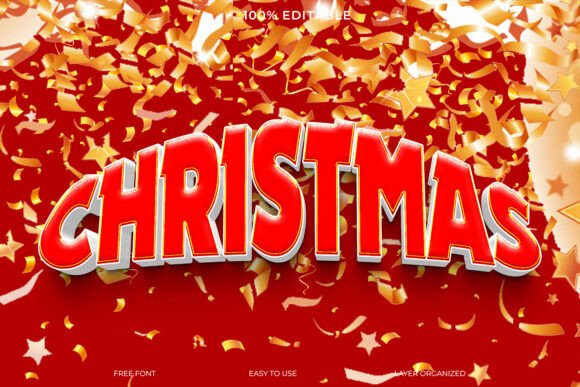
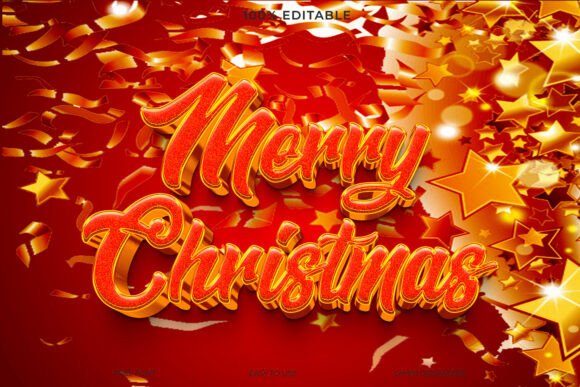
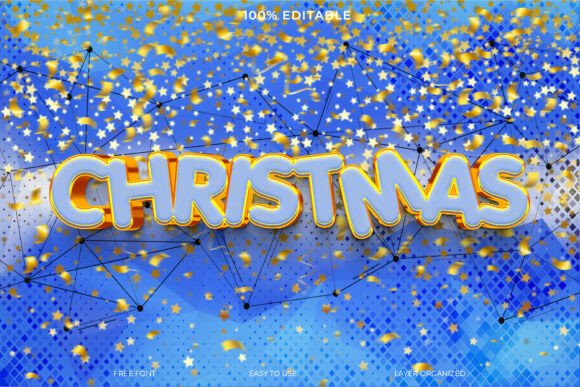
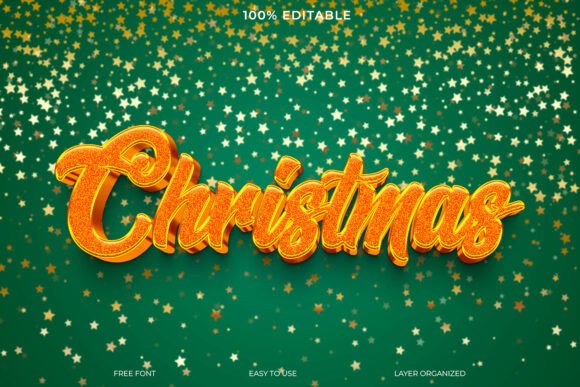
What makes this specific text effect stand out is the careful balance of its components. At its core, the design features a rich, metallic gold texture that mimics real glitter. However, unlike flat textures that can appear digital or cheap, this effect incorporates a subtle 3D dimension. This depth gives the letters weight and presence, making them pop against the background rather than sitting flatly on top of it.
The backdrop plays a crucial role in this composition. Set against a festive green background, the gold creates a classic complementary color pairing that is instantly recognizable as Christmas-themed yet timeless. The addition of sparkling stars adds a layer of whimsy and magic, enhancing the festive mood without distracting from the primary message. For users who value efficiency, the fact that this is an editable design with organized layers cannot be overstated. It means you are not stuck with a static image; you have full control over the content while retaining the complex visual styling.
Practical Applications Across Industries
The utility of the Christmas Gold Glitter Text Effect extends far beyond simple greeting cards. Its professional finish makes it suitable for a wide array of commercial and personal projects. Here is how different professionals can leverage this tool:
- Digital Marketers and Social Media Managers: Use the effect for Instagram stories, Facebook cover photos, or Pinterest pins. The high contrast between the gold and green ensures readability even on small mobile screens, driving higher engagement rates during the competitive holiday shopping season.
- Small Business Owners and Entrepreneurs: Incorporate the text effect into email newsletter headers or promotional banners. It signals a special seasonal offer while maintaining brand integrity through its clean, upscale appearance.
- Educators and Content Creators: Teachers creating holiday-themed worksheets or bloggers writing end-of-year reviews can use this effect to make titles more engaging. It adds a celebratory tone to educational materials or reflective articles without appearing unprofessional.
- Event Planners: For corporate holiday parties or exclusive gala invitations, this design provides the necessary gravitas. It suggests a premium experience, setting the right expectation for attendees before they even arrive.
Enhancing Brand Perception and Engagement
In visual communication, aesthetics directly influence perception. A well-executed gold glitter effect conveys quality, celebration, and attention to detail. When customers or clients encounter this level of design polish, it subconsciously reinforces the value of your brand. It suggests that you have invested time and resources into your presentation, which often translates to trust in your products or services.
Moreover, the psychological impact of gold during the holidays is significant. It evokes feelings of warmth, generosity, and tradition. By using the Christmas Gold Glitter Text Effect, you tap into these emotional triggers, making your message more memorable. In a crowded inbox or feed, content that feels special and crafted is more likely to be paused upon, read, and shared.
Technical Considerations for Best Results
While the design is user-friendly, achieving the best results requires a basic understanding of how to work with layered files. Since the file includes organized layers, you should feel comfortable navigating software like Adobe Photoshop or compatible alternatives. Here are some practical tips for implementation:
- Maintain Contrast: Ensure that any additional text or elements you add do not clash with the existing gold and green palette. Stick to white, cream, or dark green for secondary information to keep the hierarchy clear.
- Check Resolution: If you are using this for print materials like cards or flyers, ensure you are working at a high resolution (300 DPI). For digital use, 72 DPI is standard, but always check the specific requirements of the platform you are posting to.
- Edit with Care: When changing the text, pay attention to the layer styles that create the 3D and glitter effects. Most editable templates allow you to simply double-click a smart object or type over a placeholder. Avoid rasterizing layers prematurely, as this will prevent future edits.
- Balance the Sparkle: The sparkling stars in the background are designed to complement, not compete. If you add other graphical elements, ensure they do not overcrowd the starry field. White space is essential for letting the gold text breathe.
Why Editable Templates Save Time and Money
Creating a realistic gold glitter effect from scratch is technically demanding. It involves complex blending modes, noise filters, and lighting adjustments to mimic the way light reflects off physical glitter. For many professionals, spending hours perfecting this effect is not an efficient use of time. Using a pre-designed, editable template like the Christmas Gold Glitter Text Effect allows you to bypass the technical heavy lifting.
This efficiency does not come at the cost of customization. Because the layers are organized, you can tweak the intensity of the glitter, adjust the shade of the green background, or modify the 3D depth to better align with your specific brand guidelines. This flexibility makes it a sustainable resource that can be adapted year after year, providing long-term value for your design toolkit.
Ultimately, the goal of holiday design is to connect with your audience on an emotional level while delivering your message clearly. This text effect bridges the gap between festive fun and professional polish. By integrating this stunning visual element into your projects, you ensure that your holiday communications are not only seen but appreciated for their quality and style. Whether you are a seasoned designer looking to speed up your workflow or a business owner aiming to elevate your seasonal branding, this tool offers a straightforward path to achieving a luxurious, eye-catching result.